Sound Design vs. Audio Mixing: What’s the Difference?
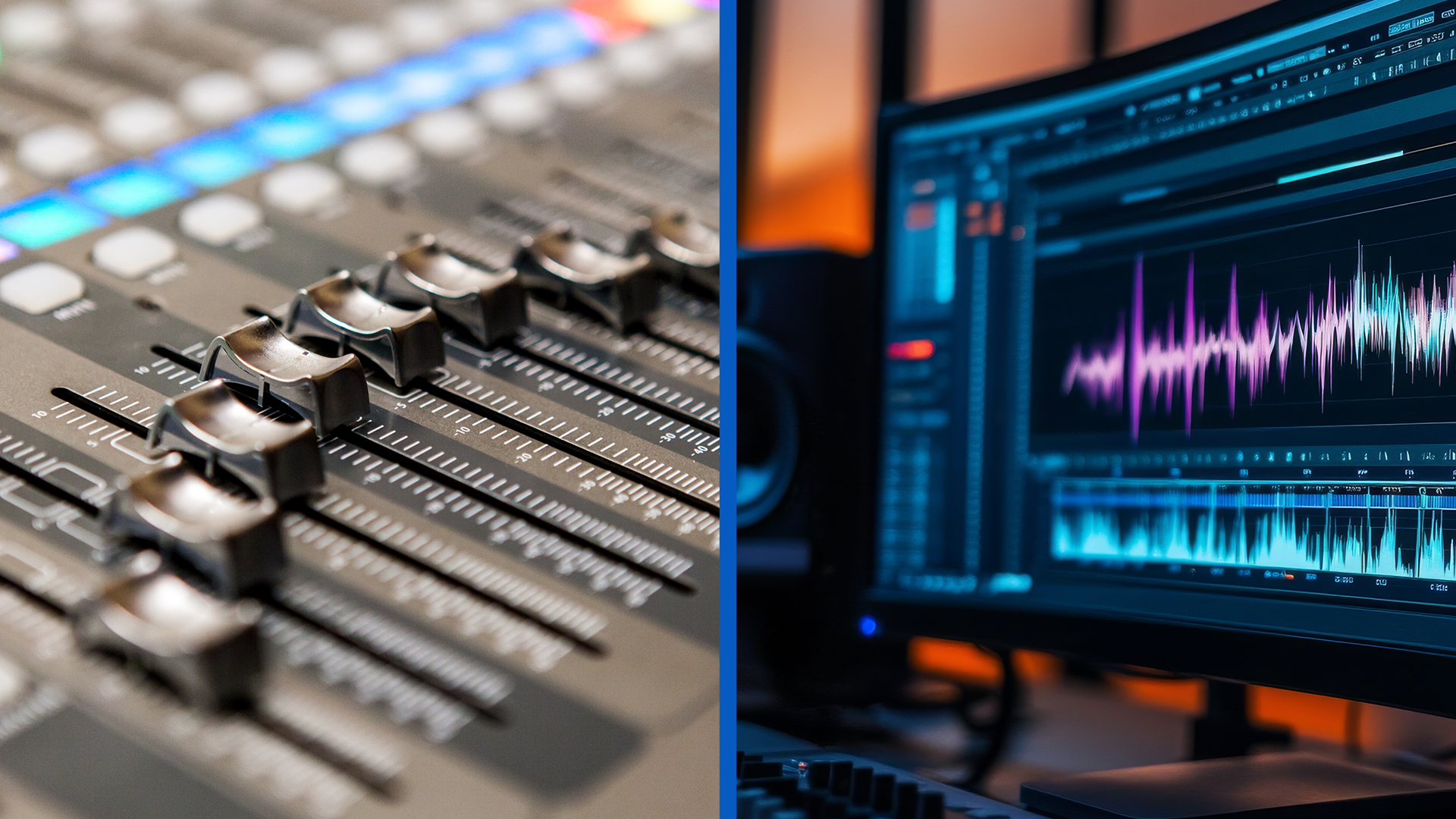
Sound Design vs. Audio Mixing: What's the Difference?
If you’ve ever wondered what the difference between sound design and audio mixing is, you’re not alone. Both happen in audio post-production, shaping how your video feels and how clearly it communicates. However, they serve different purposes.
Sound design creates and selects the sounds that tell the story, from Foley footsteps and room ambiences to signature brand cues and product wooshes. Audio mixing balances and polishes everything, including dialogue, music, and effects, so it’s clear, consistent, and compliant across different platforms. Think of design as building the audible world and mixing as making that world sound right everywhere.
What is Sound Design?
Sound design is the creative process of making and choosing sounds to support the story. Designers layer ambiences to sell a space, record or perform Foley for believable actions, craft transitions and whooshes for energy, and invent UI/tech or product sounds that match your brand. The output is a set of effect/ambience/Foley “stems” and design beds that give the editor and mixer the raw materials of your sonic world.
What is Audio Mixing?
Audio mixing is the technical and aesthetic process of making all audio elements work together. Mixers clean up dialogue (noise reduction, EQ, de-essing), balance music against voice, fit effects around key moments, control dynamics, add depth with reverb/panning, and hit loudness specs for each platform. The output is a finished print master (plus stems and alt mixes) that sounds clear and consistent across headphones, phone speakers, and large rooms.
Side-by-Side: Comparing Sound Design and Audio Mixing
Where Sound Design and Audio Mixing Fit in the Post-Production Workflow
Sound design and audio mixing both happen in audio post-production, but they land at different points in the sequence and feed each other. Here’s the typical flow from picture edit to final delivery:
- Picture Edit: Editorial adds temporary music and sound effects to guide pacing, then holds a spotting session to list needed ambiences, Foley, UI cues, whooshes, and any dialogue problems. When the cut is locked, the editor exports clean audio tracks and an AAF/OMF for sound.
- Dialogue Edit and Prep: Dialogue is conformed to picture, cleaned, organized by character or mic, and pre-leveled. This protects intelligibility and prevents the final mix from becoming a rescue mission.
- Sound Design Pass: Designers build the sonic world, including ambiences, SFX, Foley, transitions, and product sounds, to deliver organized stems with sync notes. A short review ensures tone, perspective, and storytelling land as intended.
- Music Prep: Licensed tracks or score cues are confirmed, edited to timing, and exported as stems (main, instrumental, alt mixes). Proper labeling and head/tail handles help the mixer balance quickly around dialogue.
- Re-Recording (Final) Mix: The mixer balances dialogue, music, and design stems, applying EQ compression and panning/spatial effects to meet platform loudness and specification targets.
- QC, Versioning, and Delivery: The team QC’s across devices (earbuds, phone, nearfields) and rooms, prints alternate mixes, and versions for aspect ratios. Final handoff includes print masters, stems (DX/MX/SFX), captions/SDH, loudness readings, and a delivery sheet with codecs/sample rates.
Why Your Mix Sounds Different on Each Platform
Streaming platforms, broadcast networks, and social apps normalize loudness to different targets. If your mix isn’t conformed, it may get turned up or down, changing impact and sometimes audibility of dialogue. If you deliver too hot for broadcast, it’ll be reduced, while if you deliver too quiet for social, it may feel thin next to loud, compressed content in a feed.
Above all, dialogue audibility drives perceived quality more than raw loudness. Clean, stable dialogue at the right reference level keeps normalization from wrecking your balances while maintaining the intent and emotional message of the video. Always check on nearfields, earbuds, and phone speakers to ensure the audio mix is consistent on all platforms.
Common Pitfalls and How to Avoid Them
Even great projects stumble when sound design and mixing fight each other or when specs and real-world playback aren’t considered early. You can avoid these frequent mistakes with smarter arrangement, cleaner dialogue, disciplined metering, and better review habits.
Sound Design Pitfalls
Audio Mixing Pitfalls
Aligned Media's Audio Capabilities
Aligned Media handles audio post end-to-end in-house: sound design (ambiences, Foley, custom UI/tech/product cues, transition design) and re-recording mixing (dialogue cleanup/restoration, balance, EQ/dynamics, spatialization, spec-compliant loudness). The team builds a clear sonic palette for each project, prioritizes dialogue intelligibility, and organizes deliverables as cleanly labeled stems so future revisions and cutdowns are painless.
On the technical side, Aligned conforms mixes to platform requirements (web/social/streaming/broadcast), performs device translation checks (earbuds, phone speakers, nearfields, TVs), and prints everything you need to distribute confidently. For multi-channel campaigns, we plan audio early for 16:9, 1:1, and 9:16 versions, align captions/SDH, and maintain an archive so you can reopen sessions for new edits.
Frequently Asked Questions About Sound Design
Do I need both sound design and audio mixing?
Usually, yes. Sound design creates the sonic elements (FX, Foley, ambiences, UI cues), while mixing balances those elements with dialogue and music to spec. Skipping either step risks a track that’s empty/flat (no design) or chaotic/hard to understand (no mix).
Can you “fix it in post” if our dialogue is noisy?
A skilled mixer can reduce hiss, hum, and room noise, but cleanup is never as good as clean capture. Plan for quiet locations, proper mic placement, and a short room-tone take. If needed, Aligned can perform restoration, but results depend on the original recording.
How do platform specs affect our audio?
Different outlets normalize loudness differently. Delivering mixes to the correct LUFS/LKFS and true-peak targets prevents your audio from being auto-turned up or down. We also QC on earbuds, phones, and speakers, so it translates in real life, not just on meters.
Can we reuse a mix for social cutdowns?
Often with small tweaks. If you plan vertical (9:16) or square (1:1) edits, tell us early and we’ll print alternative mixes and stems that make quick recuts painless while keeping dialogue/music audible on small speakers.
Elevate Your Next Video Project with Sound Design from Aligned Media
Sound design and audio mixing perform separate jobs, and you hear the difference when both are done well. Design builds the sonic world that sells your story; mixing makes that world clear, balanced, and platform ready. Together, they turn good visuals into content that feels intentional, intelligible, and consistent everywhere your audience listens.
Whether your piece is live action, animated, or a hybrid, Aligned’s audio team partners with editorial and motion to ensure the sonic world supports the story and translates everywhere. To discuss your next project and learn how audio can enhance your results, get in touch with our experts today.
[ Get in Touch ]
Other Blog Posts
Say Hi
We hope you’re as excited to get started on your project as we are. From short-form social media videos like Instagram Reels, TikTok videos, and YouTube Shorts to long-form content like high-end documentaries, we want to bring your creative vision to life.
As a full-service video production company, we are equipped to work with you during every single step of the video production process. This ensures a fast turnaround time and lower costs since no outsourcing to third-party content creators or video editing agencies is required.
When you want high-quality video content from professional editors who are personally invested in your project, drop us a line or stop by for a chat. Whether it’s a quick brainstorming session or a longer strategy meeting with our dedicated video editors, we’re always ready to create something amazing at pricing that works for you.
Let’s make your next video project one for the books. Contact Aligned Media today to get started bringing your vision to life with our personalized video editing services!